
Mobile Control Device
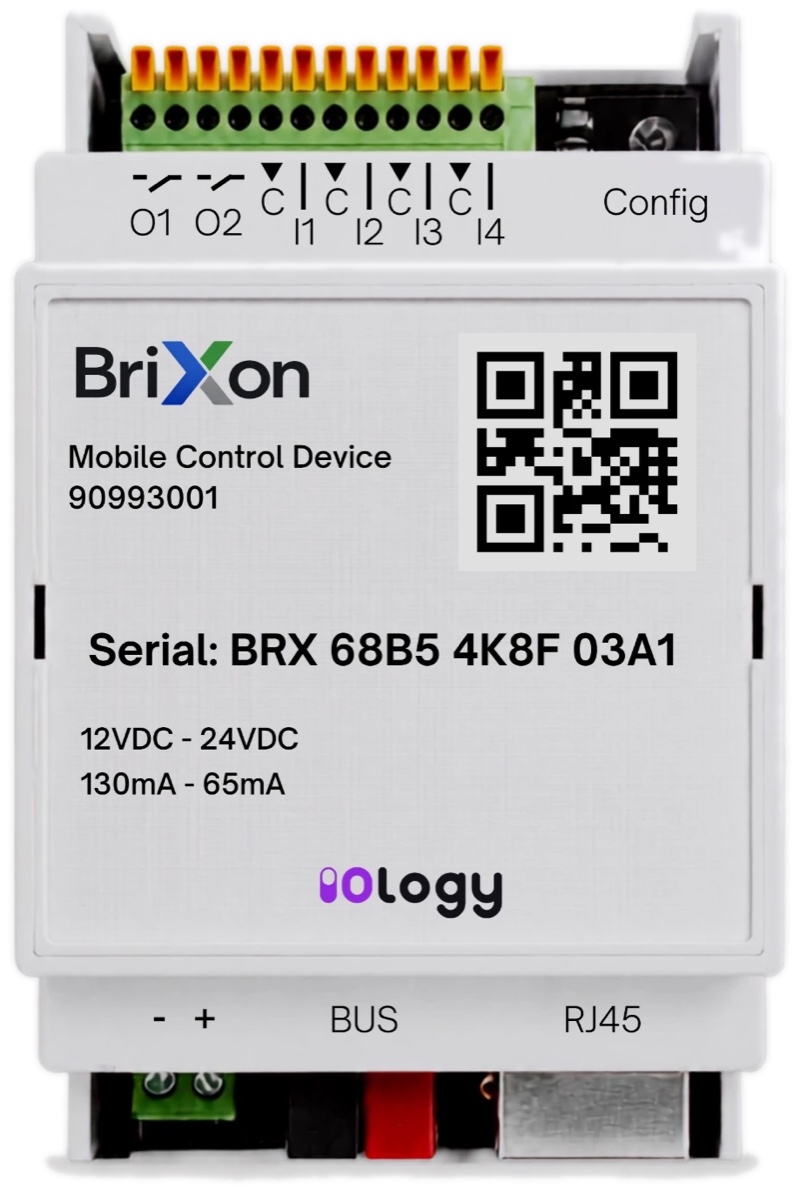
Brixon MCD is a DIN rail mounted interface that connects KNX bus installations to the IOLOGY cloud platform. It lets you monitor and control your building from the Brixon mobile app, wherever you are.
KNX connection
Connects directly to the KNX bus
10/100 Ethernet
Network connection over RJ45
2 outputs, 4 inputs
2 signal relays, 4 dry contact inputs
DIN rail mounting
53.4 mm wide, IP20
Three steps from installation to use
Mounted in the panel
Brixon MCD is mounted on the DIN rail in the electrical panel and connected to the KNX bus and the network.
Configured by the system integrator
The authorised system integrator defines KNX group addresses, the project, building, floor and room structure and the I/O settings through the Partner Portal.
Managed from your phone
Scan the QR code on the device with the mobile app to pair it; smart building controls, live camera viewing, scenarios and push notifications are at your fingertips.
KNX, network, inputs and outputs in one device
- Signal relay outputs (O1, O2): 2 × 5 A
- Inputs (I1–I4): 4 dry contacts
- LED indicators (ETH, KNX, POWER) and Config button
- Power supply: 12–24 V DC
- KNX bus (BUS)
- Ethernet: 10/100 Mbit, RJ45
Designed to stay out of trouble in the field
Real-time clock (RTC)
Keeps time even when offline or without power.
Reverse polarity protection
The power input is protected against damage from reversed wiring.
LED indicators
See Ethernet, KNX and power status on the device itself.
Local HTTP server mode
The device IP address and KNX physical address can be set over a local connection.
Over-the-air updates (OTA)
Device firmware is updated over a remote connection.
Easy pairing with the mobile app
Just scan the QR code on the device with the mobile app; the device pairs with the app easily.
What you need to use it
- The Brixon mobile app is required for remote control.
- Detailed device configuration (KNX group addresses, IP address, project, building, floor and room structure, I/O settings) is done through the web-based IOLOGY Partner Portal.
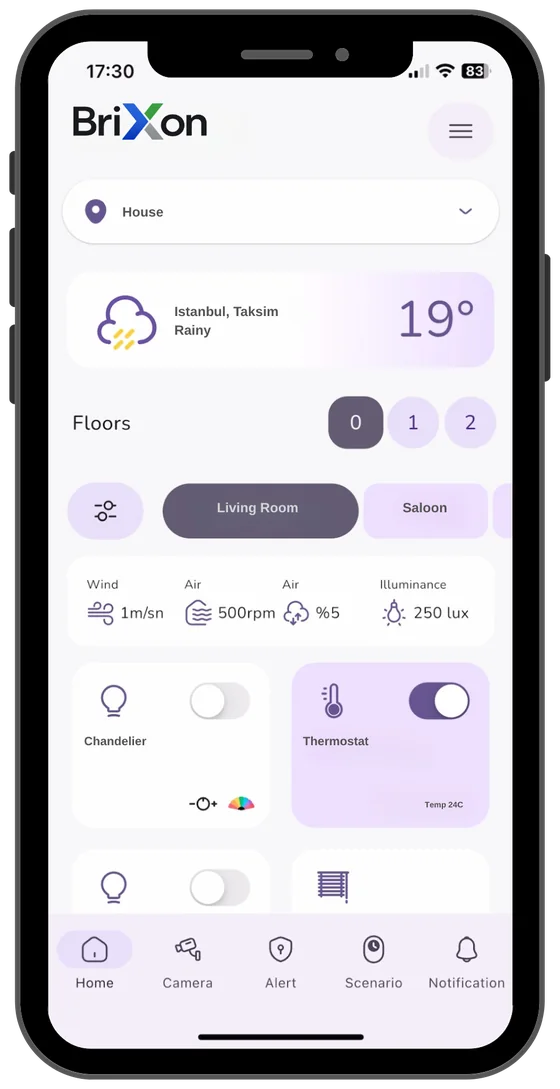
Works together with Brixon Mobile App
Brixon MCD is the hardware side; the user experience lives in Brixon Mobile App. Your devices are organised by location, floor and room, with notifications and scenarios in a single app.
Explore the mobile app →